
Editing Customer Records In Your Marketplace
Editing customer records in the marketplace is just a matter of three to five steps with Yelo. Let’s take a look at a step-by-step guide:
- Go to General -> Customers. Here, you will see a list of all of your customer records.
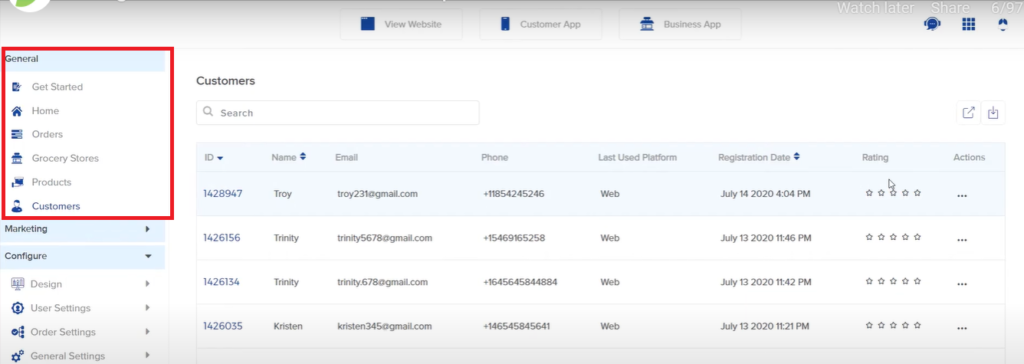
- To edit a particular record, all you have to do is hover your cursor over the three dots next to ‘Action’.
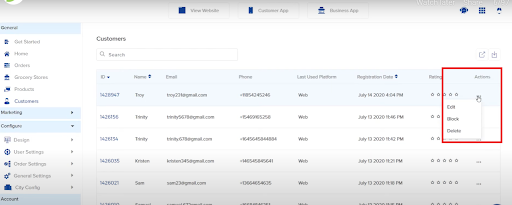
- Click on ‘Edit’, and you will see a dialogue box similar to the one shown in the image below.
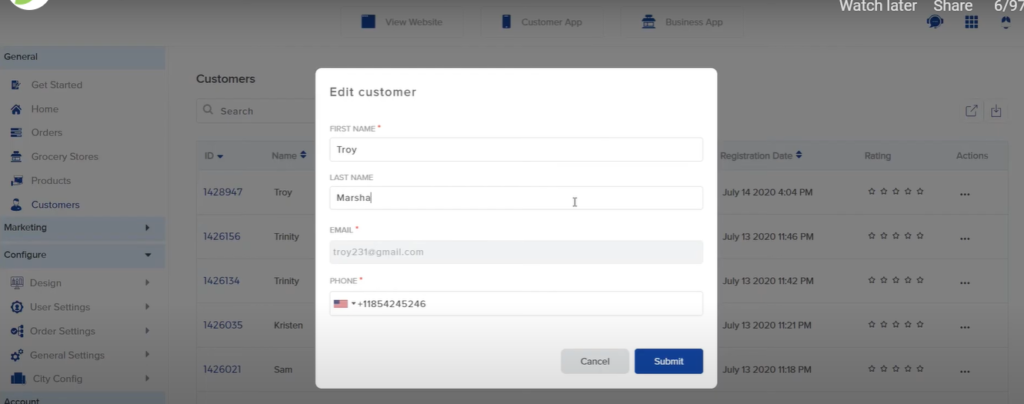
- Once you fill in the required information, click on ‘Submit’. You will see the updated information in your customer record list.
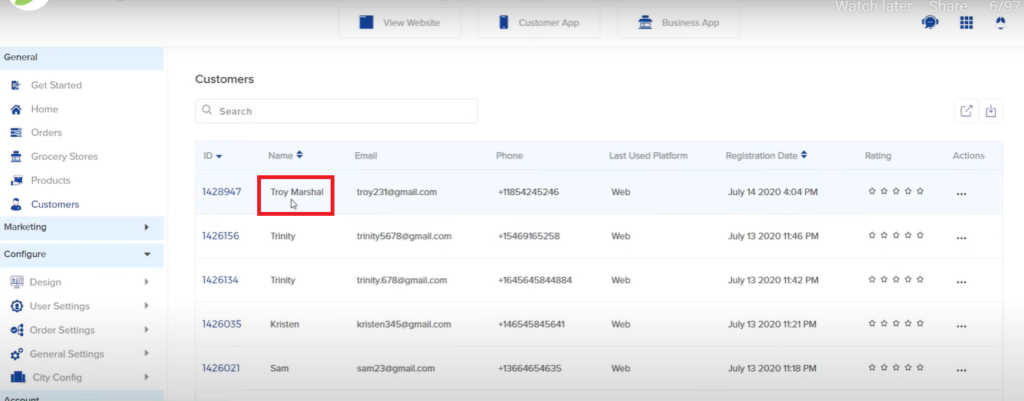
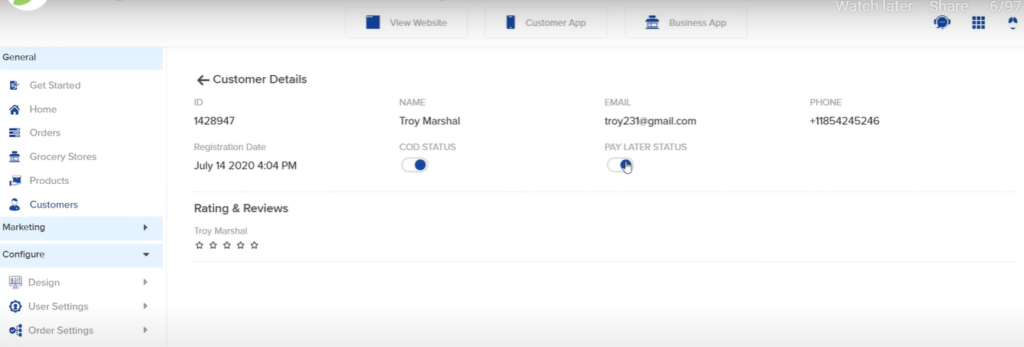
- To update other customer details like COD, Payment Status and more, you can click on the ID associated with that particular customer.
Leave A Comment?