
Sending Messages
All users can send each other messages. This can be done in two ways:
1. From the user’s profile (that they wish to contact) by clicking the “contact” button under their profile picture.

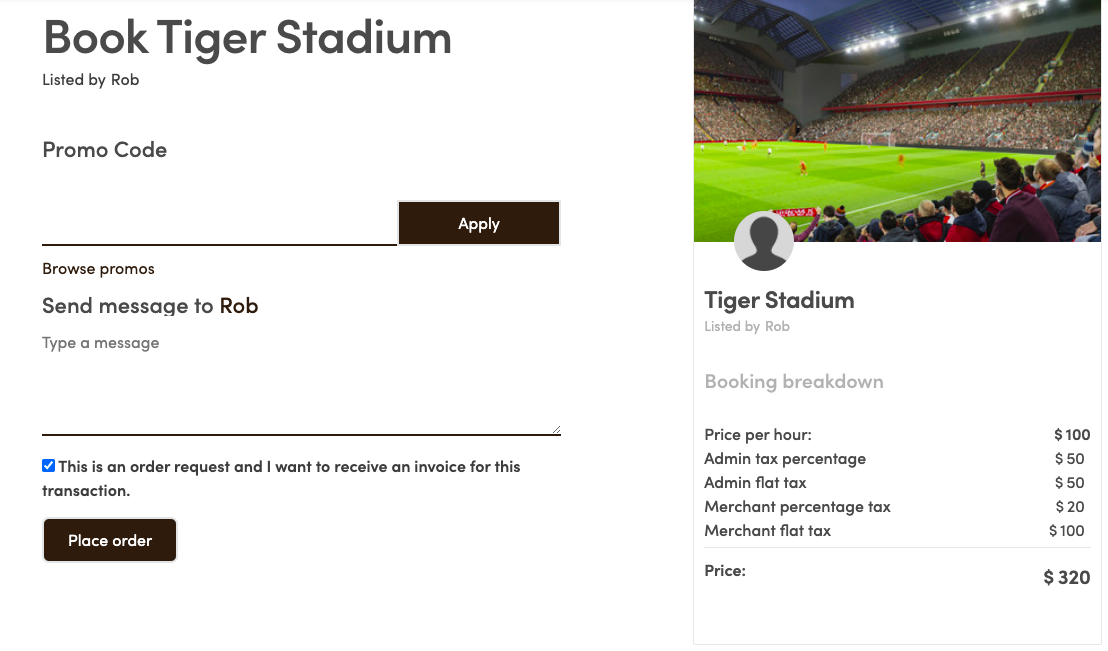
2. At the time of checkout,from the user’s listing through the “Send Message ” button to the right hand side. If a message is sent this way the listing information will be included in the message.
Viewing the message received
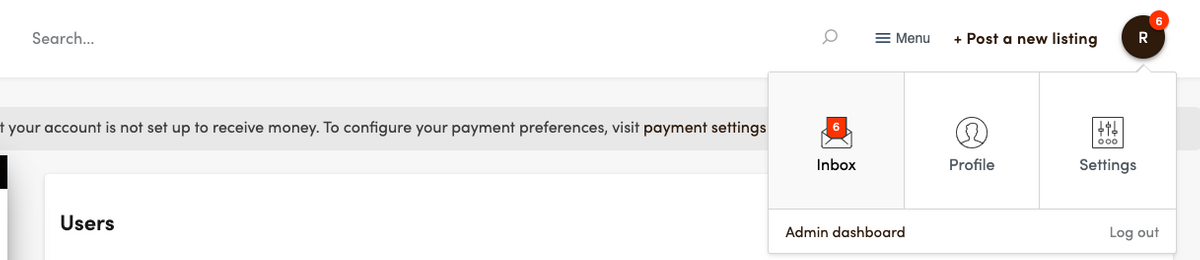
The user can find all messages sent to them in their marketplace inbox. The inbox can be accessed from the upper right corner. If the user has unread messages there is a small notification on the profile image and on the inbox
From the inbox they can access, read and reply to the message.
Hi,
When someone asks ChatGPT, Gemini, Perplexity or Google’s AI Overviews which brand to choose in your category, only a few names make the answer.
We’re a done-for-you service: we research the questions your customers ask AI, write and publish the answers on your site, and measure what changes. You approve everything before it goes live.
Half upfront. The second half is due only if the questions we agree on improve at re-test.
If it’s worth a look, send us your site here and we’ll show you where your brand stands:
https://topseedai.com
The TopSeedAI Team