
Add Products In Your Marketplace
Adding products to your marketplace catalogue is a breeze with Yelo. To add new products to your catalogue, take the following steps:
Step 1: Log in to the Yelo admin dashboard, where your monthly sales, revenue and orders can be viewed.
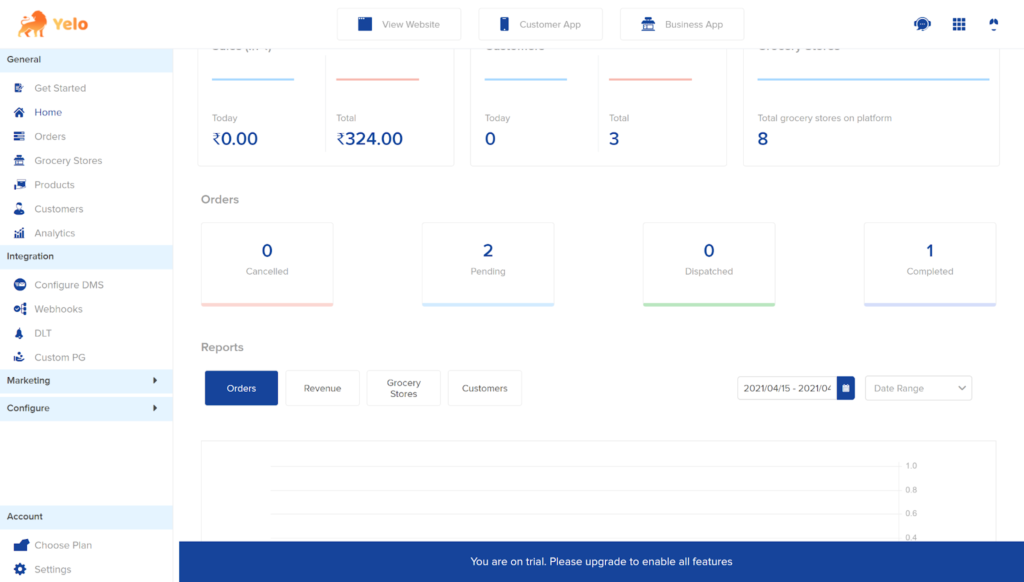
Step 2: On the left side of the dashboard, click on the ‘Products’ tab.
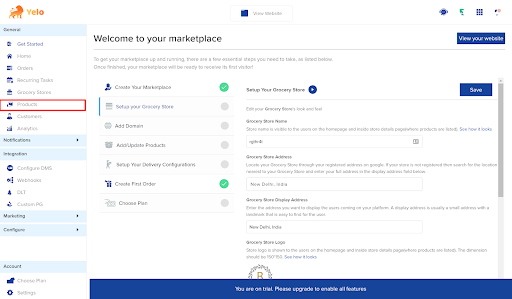
Your product catalogue will look like this.
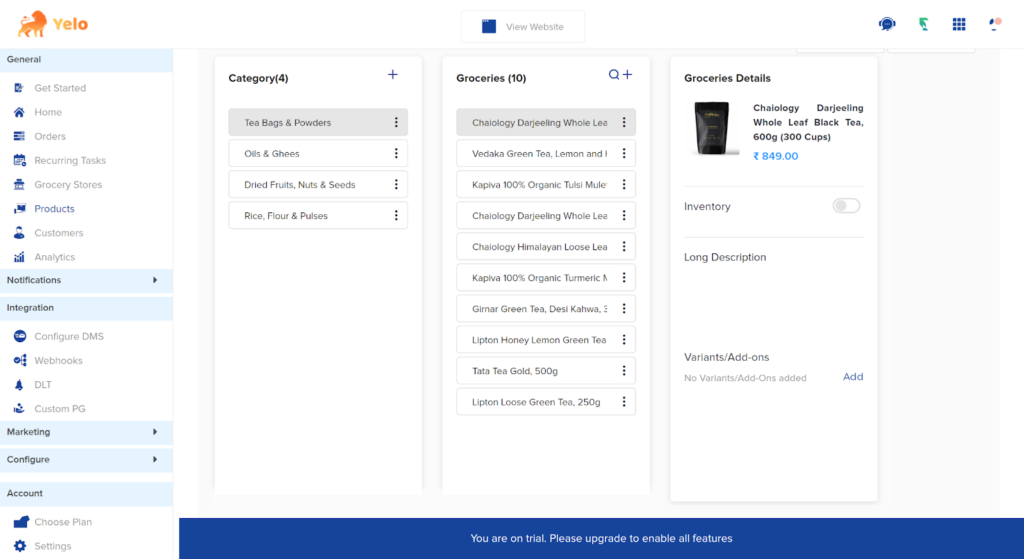
Step 3: Click on the three dots under the Category where you want to add products
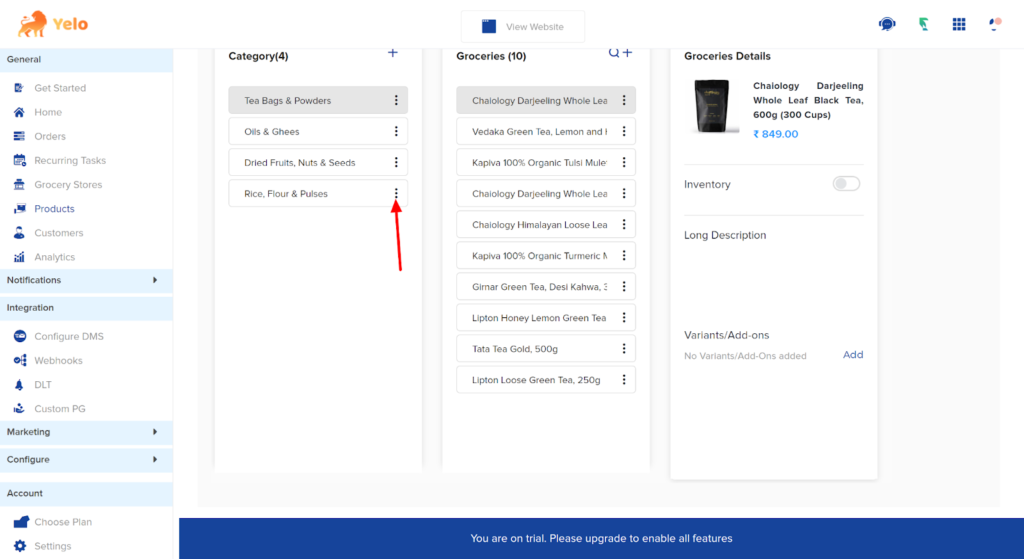
Step 4: In the dropdown menu, click on ‘Add Products’.
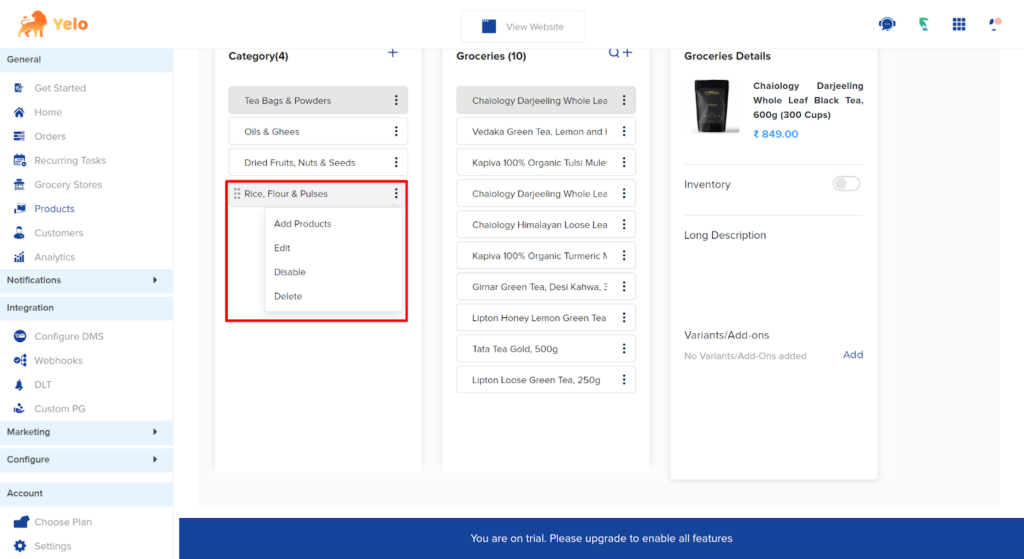
Step 5: A new dialogue box will appear.
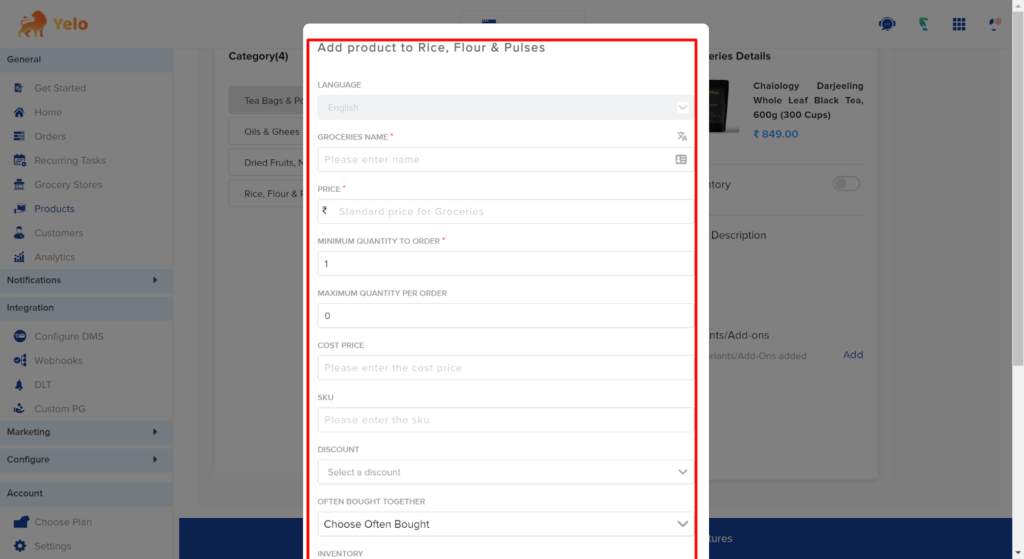
Step 6: Fill in the required information. When you’re done doing this, click on ‘Add’.
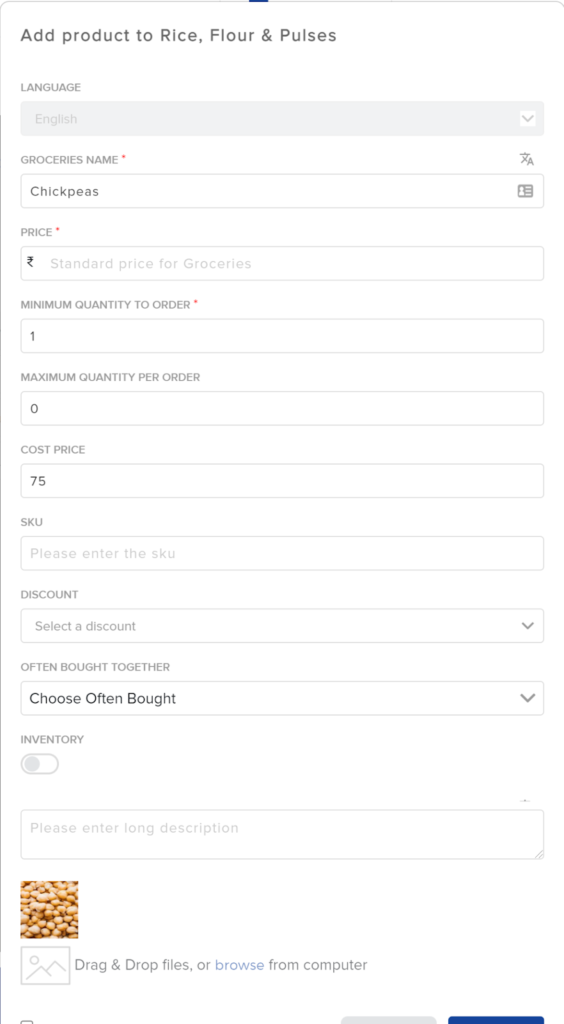
You’re finished! To add more products, repeat the same steps.
Leave A Comment?